Introduction
In the modern digital landscape, WordPress has established itself as the world’s most dominant content management system (CMS), powering over 43% of all websites on the internet. However, this immense popularity is a double-edged sword. While it offers a robust ecosystem for developers and business owners, it also makes WordPress a primary target for cybercriminals. Security is no longer an optional luxury; it is a fundamental requirement for maintaining business continuity, protecting user data, and preserving search engine rankings. According to industry reports, thousands of WordPress sites are compromised daily, often due to preventable vulnerabilities such as outdated software, weak credentials, and insecure hosting environments. To secure your WordPress website from hackers, one must adopt a multi-layered defense strategy that addresses vulnerabilities at the server, application, and user levels. This comprehensive guide provides a deep dive into the technical and strategic measures necessary to fortify your digital presence against evolving cyber threats.
The Foundation of Security: Choosing the Right Hosting
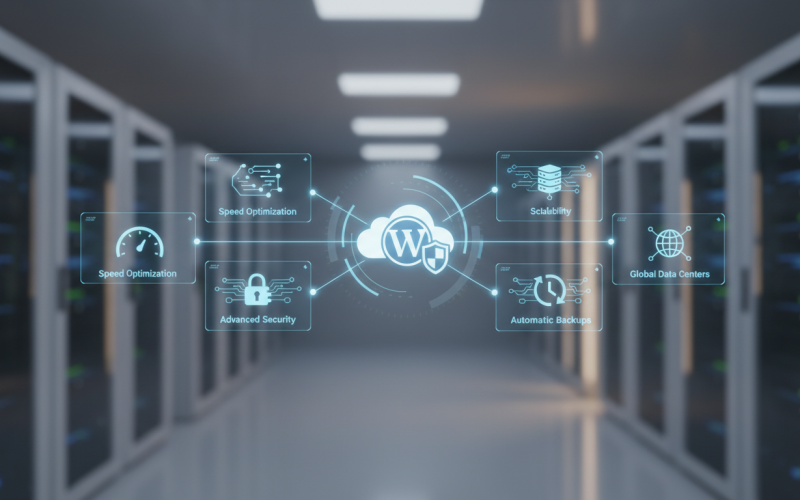
Security begins at the infrastructure level. Your hosting provider is the gatekeeper of your website’s data. Shared hosting environments, while cost-effective, can sometimes pose risks if the provider does not implement strict isolation between accounts. This is where managed WordPress hosting becomes a critical asset. A high-quality provider like Sky Hostic offers specialized security configurations, including server-side firewalls, malware scanning, and isolated resources that prevent cross-site contamination. When selecting a host, prioritize those that offer proactive monitoring, automated backups, and support for the latest PHP versions. A secure host ensures that even if an application-level vulnerability exists, the underlying server remains resilient against unauthorized access and resource exhaustion attacks.
Hardening Authentication and Access Control
Implementing Strong Password Policies
The most common entry point for hackers is the login page. Brute force attacks, where scripts attempt thousands of password combinations per second, are incredibly effective against weak credentials. To secure your WordPress website from hackers, you must enforce a strict password policy. Passwords should be long, complex, and unique. Using a password manager to generate and store high-entropy strings is highly recommended. Furthermore, avoid using ‘admin’ as a username, as this is the first name attackers will guess. Instead, create a custom administrator account with a unique username and delete the default admin account.
Enabling Two-Factor Authentication (2FA)
Two-factor authentication adds a vital layer of security by requiring a second form of verification, such as a code from an app like Google Authenticator or a hardware key. Even if a hacker successfully steals your password, they cannot access the dashboard without the secondary token. This single step can mitigate the risk of password-based breaches by nearly 99%.
Limiting Login Attempts
By default, WordPress allows an unlimited number of login attempts. This facilitates brute force attacks. By using a plugin or server-side configuration to limit login attempts, you can temporarily block IP addresses that fail to authenticate after a specific number of tries. This significantly increases the time and resources required for an attacker to break in, often causing them to move on to easier targets.
Maintaining Software Integrity
The Critical Importance of Updates
Vulnerabilities in WordPress core, plugins, and themes are responsible for the majority of successful hacks. Developers regularly release patches to fix security flaws. Failing to update your site is akin to leaving your front door unlocked. Always keep your WordPress installation, themes, and plugins updated to the latest versions. For mission-critical sites, consider using a staging environment to test updates before applying them to the live site to ensure compatibility.
The Dangers of Nulled Themes and Plugins
Nulled software refers to premium themes or plugins that have been ‘cracked’ and distributed for free. These are frequently bundled with malicious code, backdoors, and SEO spam. While they may seem like a bargain, the long-term cost of a compromised site far outweighs the price of a legitimate license. Only download software from the official WordPress repository or reputable third-party marketplaces.
Technical Hardening of the WordPress Environment
Changing the Database Prefix
The default WordPress database prefix is wp_. Because every hacker knows this, it makes your database tables predictable and easier to target with SQL injection attacks. Changing the prefix to something unique, such as sh72_, adds a layer of obscurity that makes automated attacks more difficult to execute.
Disabling File Editing in the Dashboard
WordPress includes a built-in code editor that allows administrators to edit theme and plugin files directly from the dashboard. If an attacker gains access to your admin account, they can use this tool to inject malicious code into your site files. By adding a simple line of code to your wp-config.php file (define(‘DISALLOW_FILE_EDIT’, true);), you can disable this feature and force all code changes to be made via secure SFTP.
Protecting wp-config.php and .htaccess
The wp-config.php file contains sensitive information, including your database credentials and security salts. It is essential to protect this file from unauthorized access. You can move it one level above your root directory or use .htaccess rules to deny access to it. Similarly, the .htaccess file can be used to disable directory browsing, preventing hackers from seeing the structure of your folders and identifying potential targets.
Advanced Security Layers: Firewalls and SSL
Web Application Firewalls (WAF)
A Web Application Firewall acts as a filter between your website and the internet. It inspects incoming traffic and blocks malicious requests before they even reach your server. There are two main types: DNS-level firewalls (like Cloudflare or Sucuri) and application-level firewalls (like Wordfence). DNS-level firewalls are generally more effective because they block threats at the network edge, reducing the load on your server and protecting against DDoS attacks.
Mandatory SSL/HTTPS Encryption
Secure Sockets Layer (SSL) encrypts the data transmitted between a user’s browser and your server. This prevents ‘man-in-the-middle’ attacks where hackers intercept sensitive data like login credentials or payment information. Beyond security, HTTPS is a confirmed Google ranking factor and is necessary for building user trust.
Developing a Robust Backup and Recovery Strategy
No security measure is 100% foolproof. Therefore, having a reliable backup strategy is your ultimate safety net. A proper backup should follow the 3-2-1 rule: three copies of your data, stored on two different media types, with one copy off-site. Ensure that your backups include both the database and all site files. Regularly test your backups by performing a trial restoration to a staging environment to ensure that the data is valid and the process is documented.
Frequently Asked Questions
What is the most common way WordPress sites get hacked?
The majority of WordPress hacks occur due to outdated plugins, themes, or core software. Vulnerabilities in these components allow attackers to execute scripts or gain unauthorized access.
Do I need a security plugin if I have a good host?
While a secure host provides a strong foundation, a security plugin adds application-specific protections like login monitoring, file integrity checks, and malware scanning that a host might not cover in detail.
Is WordPress inherently insecure?
No. WordPress is built with security in mind, but its open-source nature and massive market share mean that vulnerabilities are widely publicized. When properly maintained and hardened, WordPress is a highly secure platform.
Does changing the login URL help security?
Changing the login URL (e.g., from /wp-admin to a custom path) is a form of ‘security by obscurity.’ It helps reduce the volume of automated brute force attacks but should not be relied upon as a primary security measure.
How often should I scan my site for malware?
Ideally, malware scanning should be automated and occur daily. Many security plugins and managed hosts offer continuous monitoring to detect and alert you to any suspicious changes immediately.
Conclusion
Securing your WordPress website from hackers is a continuous process that requires vigilance, technical hardening, and a proactive mindset. By starting with a secure hosting foundation like Sky Hostic, enforcing strong authentication protocols, and maintaining a rigorous update schedule, you can significantly reduce your risk profile. Remember that security is not a one-time setup but an ongoing commitment to protecting your digital assets and your users’ trust. Implement these strategies today to ensure your website remains a safe and reliable destination for your audience.