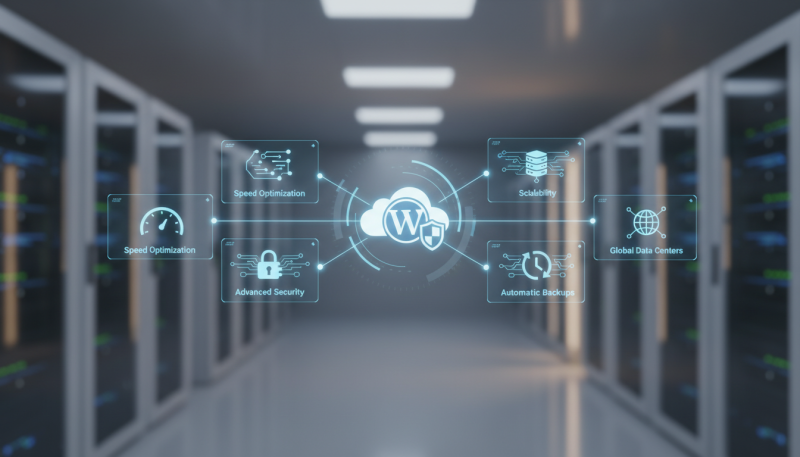
Introduction: The Evolution of Specialized WordPress Infrastructure
In the current digital landscape, WordPress powers over 43% of all websites on the internet. As the platform has grown from a simple blogging tool into a robust Content Management System (CMS) capable of handling enterprise-level e-commerce and high-traffic media outlets, the infrastructure required to support it has undergone a radical transformation. Selecting the right hosting environment is no longer just about storage space and bandwidth; it is about finding a specialized ecosystem designed to optimize the unique database and PHP-driven architecture of WordPress. Understanding the Best WordPress Hosting Features You Should Know is critical for any business owner, developer, or marketer looking to maintain a competitive edge, ensure peak performance, and safeguard their digital assets against evolving cyber threats.
Generic shared hosting often fails to meet the specific requirements of modern WordPress sites. Industry trends are shifting toward managed solutions that offer containerized environments, server-side optimizations, and proactive security measures. This deep-dive exploration will dissect the technical pillars that define high-quality WordPress hosting, helping you move beyond the marketing jargon to identify the features that truly impact site speed, user experience, and SEO rankings.
1. Advanced Server-Side Performance Technologies
Performance is the cornerstone of user retention and search engine optimization. Google’s Core Web Vitals have made it clear that page speed is a primary ranking factor. When evaluating the Best WordPress Hosting Features You Should Know, performance should be viewed through the lens of server-side architecture.
NVMe Storage vs. Standard SSDs
While standard SSDs (Solid State Drives) were a massive leap over traditional HDDs, NVMe (Non-Volatile Memory Express) is the new gold standard. NVMe storage offers significantly higher IOPS (Input/Output Operations Per Second) and lower latency. For a WordPress site, which relies heavily on database queries to serve content, NVMe can reduce the Time to First Byte (TTFB) by up to 50% compared to standard SATA SSDs. This ensures that even heavy WooCommerce stores load quickly during peak traffic.
Server-Side Caching (LiteSpeed, Nginx, and Redis)
Caching is the process of storing static versions of your dynamic WordPress pages to reduce server load. The best hosts offer built-in caching at the server level, which is far more efficient than using third-party plugins alone. LiteSpeed Web Server and Nginx are the industry leaders here. Furthermore, Object Caching through Redis or Memcached is essential for dynamic sites. It caches database query results, preventing the server from having to process the same request repeatedly, which is a game-changer for membership sites and e-commerce dashboards.
Support for the Latest PHP Versions
WordPress runs on PHP. Each new version of PHP (such as 8.2 or 8.3) brings substantial performance improvements and security patches. A premium host should allow you to toggle between PHP versions easily. Running your site on PHP 8.x can result in a 20-30% performance boost over PHP 7.4, as the newer versions handle more requests per second with less memory consumption.
2. Robust Security and Proactive Threat Mitigation
WordPress is a frequent target for hackers due to its popularity. A hosting provider should act as your first line of defense. High-quality hosting features include more than just a simple SSL certificate; they encompass a multi-layered security stack.
Web Application Firewall (WAF)
A WordPress-optimized WAF is specifically tuned to recognize and block threats targeting WordPress vulnerabilities. It filters out malicious traffic, such as SQL injections, Cross-Site Scripting (XSS), and brute-force attacks, before they ever reach your site. This proactive filtering reduces the load on your server and keeps your data secure.
Automated Malware Scanning and Removal
Security is not a set-it-and-forget-it task. The best hosts perform daily automated malware scans. If a vulnerability is detected in a plugin or theme, the host should notify you immediately. Some premium providers, like Sky Hostic, provide integrated security environments that monitor file integrity and offer automated cleanup services to ensure your site remains online and untainted.
Isolated Account Environments
In traditional shared hosting, if one website on a server is compromised, the infection can spread to others (the ‘neighbor noise’ effect). Modern WordPress hosting uses containerization technology (like LXC or Docker) to ensure that every account is completely isolated. This means your site’s resources and security are independent of any other site on the same physical hardware.
3. Developer-Centric Management Tools
For those managing multiple sites or complex builds, the efficiency of the workflow is paramount. The best WordPress hosting features should include tools that streamline development and maintenance.
One-Click Staging Environments
A staging environment is a clone of your live website where you can test new plugins, theme changes, or code snippets without affecting the public-facing site. Once you are satisfied with the changes, a “one-click push to live” feature allows you to merge those updates seamlessly. This eliminates the risk of “breaking” your site during routine maintenance.
WP-CLI and SSH Access
For power users, WP-CLI (WordPress Command Line Interface) is an indispensable tool. It allows you to update plugins, configure multisite installations, and manage databases without ever opening a web browser. Secure Shell (SSH) access is equally important for developers who need to manage files and execute commands directly on the server.
Git Integration
Version control is a standard practice in professional development. Hosting that supports Git integration allows developers to push code updates from repositories (like GitHub or GitLab) directly to the staging or production environments. This ensures a clean, trackable deployment process.
4. Scalability and Global Infrastructure
As your business grows, your hosting must be able to scale with you. Rigid plans with hard limits on traffic can lead to downtime during a successful marketing campaign or a viral social media post.
Auto-Scaling Resources
The best WordPress hosting utilizes cloud-based infrastructure (such as Google Cloud Platform or AWS) that allows for vertical scaling. If your site experiences a sudden surge in traffic, the system should automatically allocate more RAM and CPU to handle the load, ensuring your site remains responsive.
Global Content Delivery Network (CDN) Integration
A CDN stores copies of your site’s static assets (images, CSS, JS) on a network of servers worldwide. When a user visits your site, the assets are served from the server closest to them geographically. Look for hosting that includes a premium CDN (like Cloudflare Enterprise or StackPath) as a native feature rather than an add-on.
5. Expert WordPress Support and Managed Services
The human element is often the most underrated feature of high-quality hosting. When an issue arises, you need access to experts who understand the nuances of the WordPress core, not just general server technicians.
24/7 Specialized Support
WordPress-specific support means the technicians can help troubleshoot plugin conflicts, database errors, or white-screen-of-death scenarios. This level of expertise can save hours of downtime and frustration.
Automated Backups and One-Click Restores
Data loss can be catastrophic. The Best WordPress Hosting Features You Should Know must include daily automated backups with at least 14 to 30 days of retention. More importantly, the restoration process should be simple. In the event of an error, you should be able to restore your entire site to a previous state with a single click.
Frequently Asked Questions
What is the difference between Shared and Managed WordPress Hosting?
Shared hosting places many websites on one server with shared resources, often leading to slower speeds. Managed WordPress hosting is a concierge service where the host handles technical aspects like updates, security, and performance optimization, specifically tailored for WordPress architecture.
Do I really need a Staging Environment?
Yes. A staging environment is essential for any professional website. It allows you to test updates and changes in a safe environment, preventing potential downtime or layout breaks on your live site.
How does NVMe storage help my SEO?
NVMe storage significantly reduces server response times. Since Google uses page speed and user experience (Core Web Vitals) as ranking factors, the faster data retrieval of NVMe directly contributes to better search engine visibility.
Is an SSL certificate enough for security?
No. SSL only encrypts the data between the user’s browser and the server. You still need a Web Application Firewall (WAF), malware scanning, and isolated environments to protect the server and the website files themselves from being hacked.
Can I move my existing WordPress site to a new host easily?
Most premium WordPress hosts offer free migration services. Their experts will move your files and database to the new server, ensuring there is no data loss or significant downtime during the transition.
Conclusion: Choosing a Path to Growth
In conclusion, the Best WordPress Hosting Features You Should Know revolve around a synergy of high-performance hardware, proactive security, and developer-friendly tools. Investing in a hosting provider that offers NVMe storage, server-side caching, automated staging, and specialized support is not just a technical decision—it is a strategic business move. By offloading the complexities of server management to experts, you free up your time to focus on content creation, marketing, and business growth. Remember that your website is the digital storefront of your brand; ensuring it sits on a foundation of reliability and speed is the most effective way to build trust with your audience and search engines alike.